Grouped Stacked Bar Chart
Before creating this chart, make sure your data is already grouped in the results table and that the question you want to visualize includes numerical values or percentages.
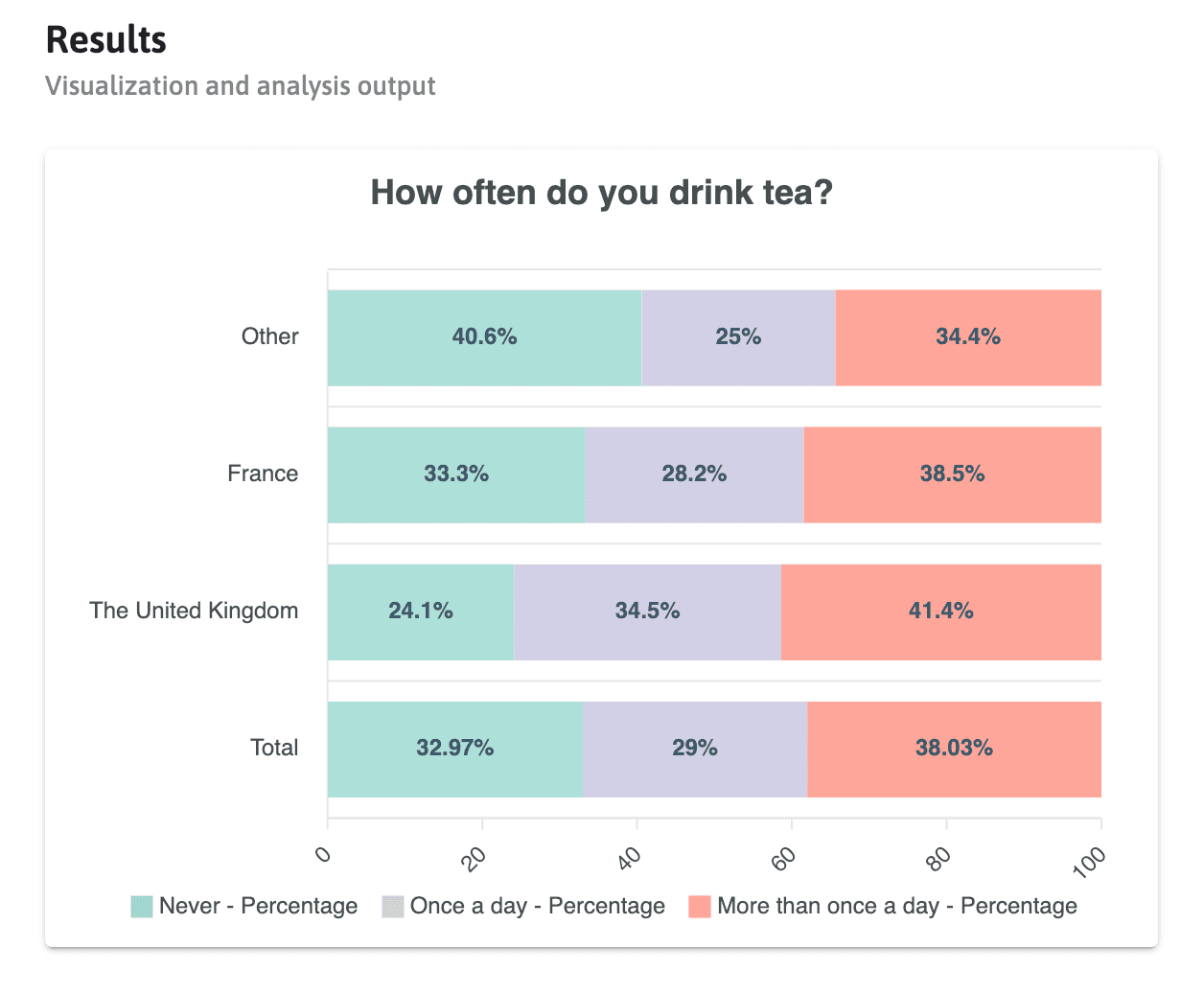
This guide shows how to create a grouped stacked bar chart that compares the distribution of responses across several groups. In this example, the chart shows how often participants drink tea, broken down by country of residence.
Goal
By the end of this guide, you will have a horizontal stacked bar chart with one bar per group and one segment per answer option.
Starting Point
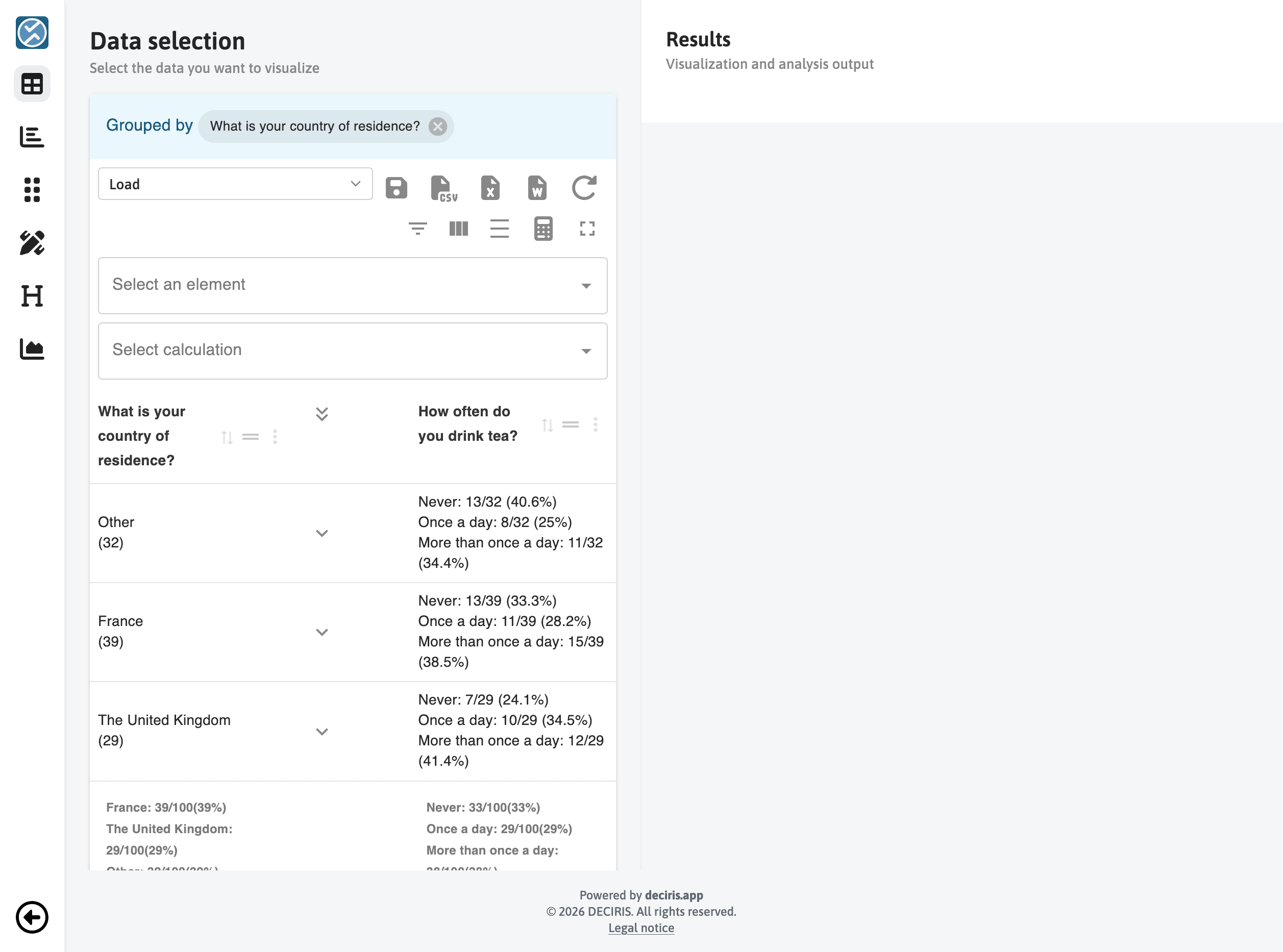
Begin from a grouped results table. Here, the data is grouped by the question
What is your country of residence?, which will later become the X-axis of the
chart.
Selecting the Chart Type and X-Axis
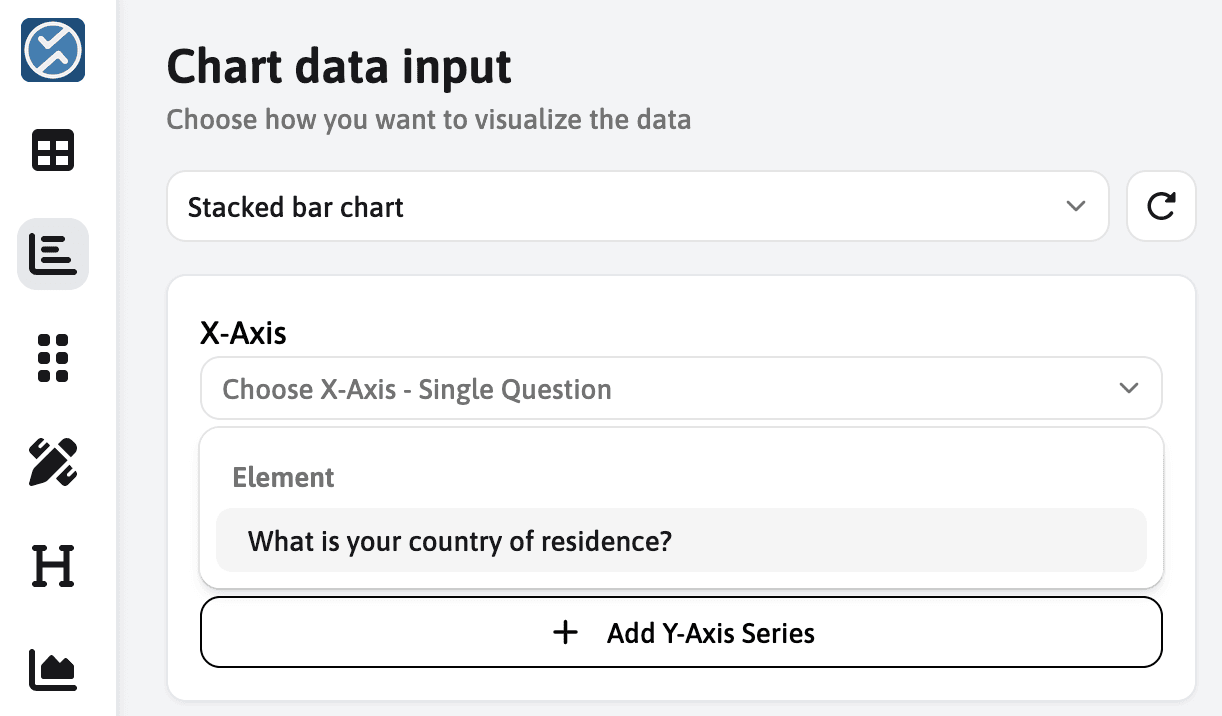
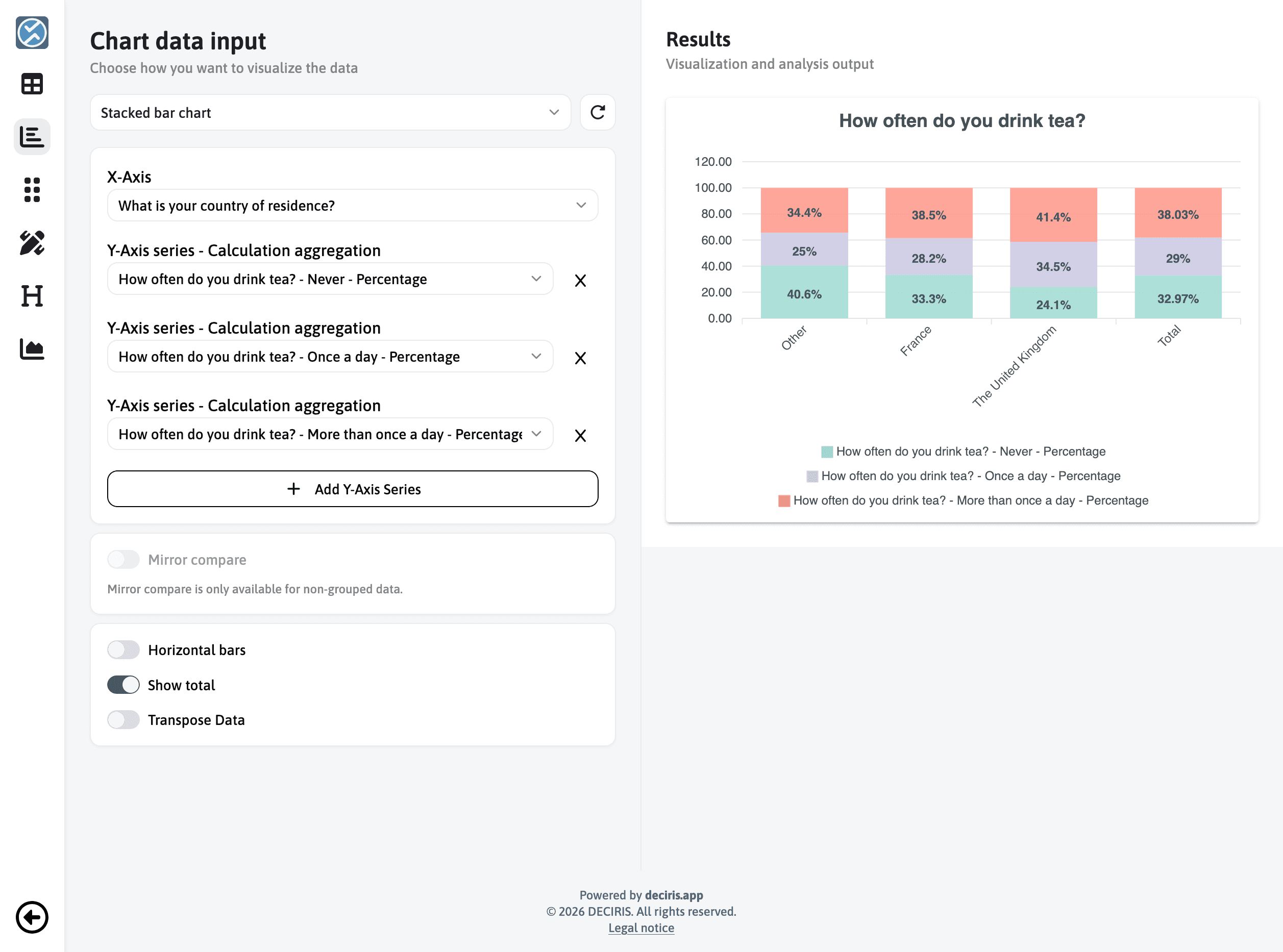
Open the chart editor and choose Stacked bar chart. Then, in the X-Axis section, select the grouped question so that each group becomes its own bar in the final chart.
Adding the Y-Axis Series
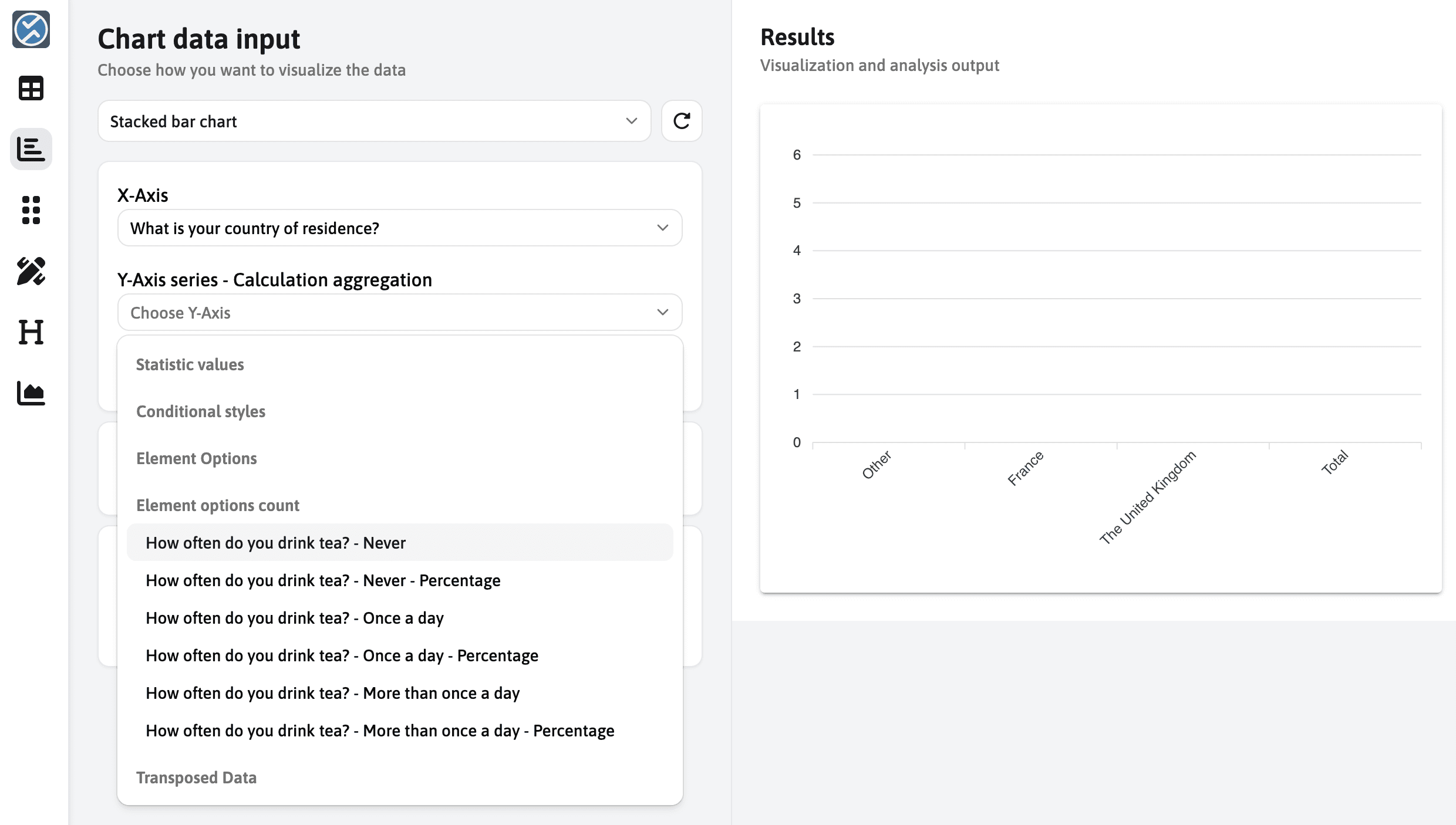
Next, add one Y-axis series for each response you want to display in the stack. For this example, the three series are:
How often do you drink tea? - Never - PercentageHow often do you drink tea? - Once a day - PercentageHow often do you drink tea? - More than once a day - Percentage
Using the percentage values creates a 100% stacked chart, which makes it easier to compare the response distribution between groups.
Reviewing the First Result
Once the three series have been added, the chart preview appears on the right. At this stage, you already have the full grouped stacked chart, including the total column.
Adjusting the Axis Range
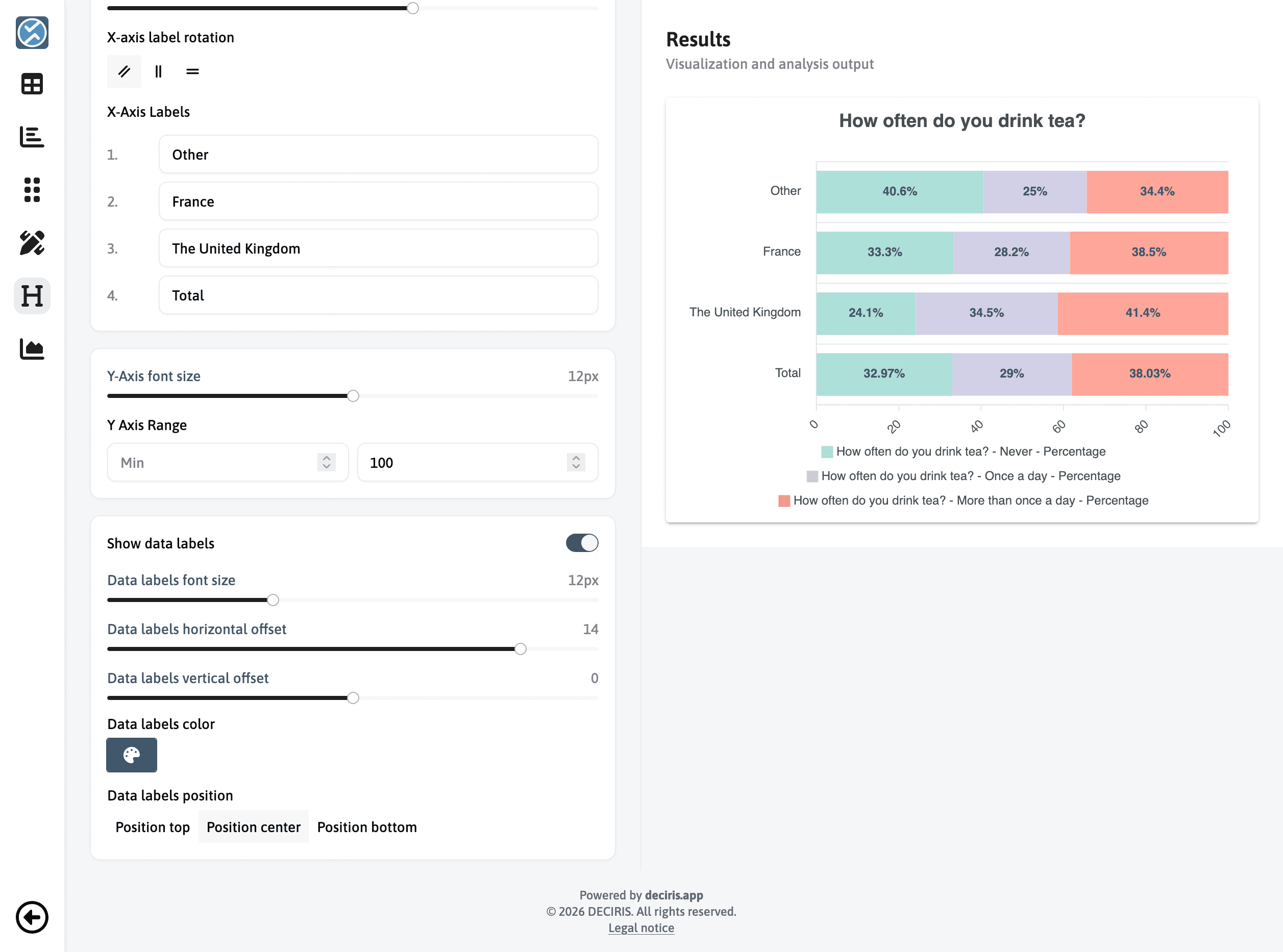
To make the percentages easier to read, switch to Horizontal bars and set
the Y-axis range maximum to 100. This matches the percentage-based series and
keeps all bars on the same scale.
Cleaning Up the Legend Labels
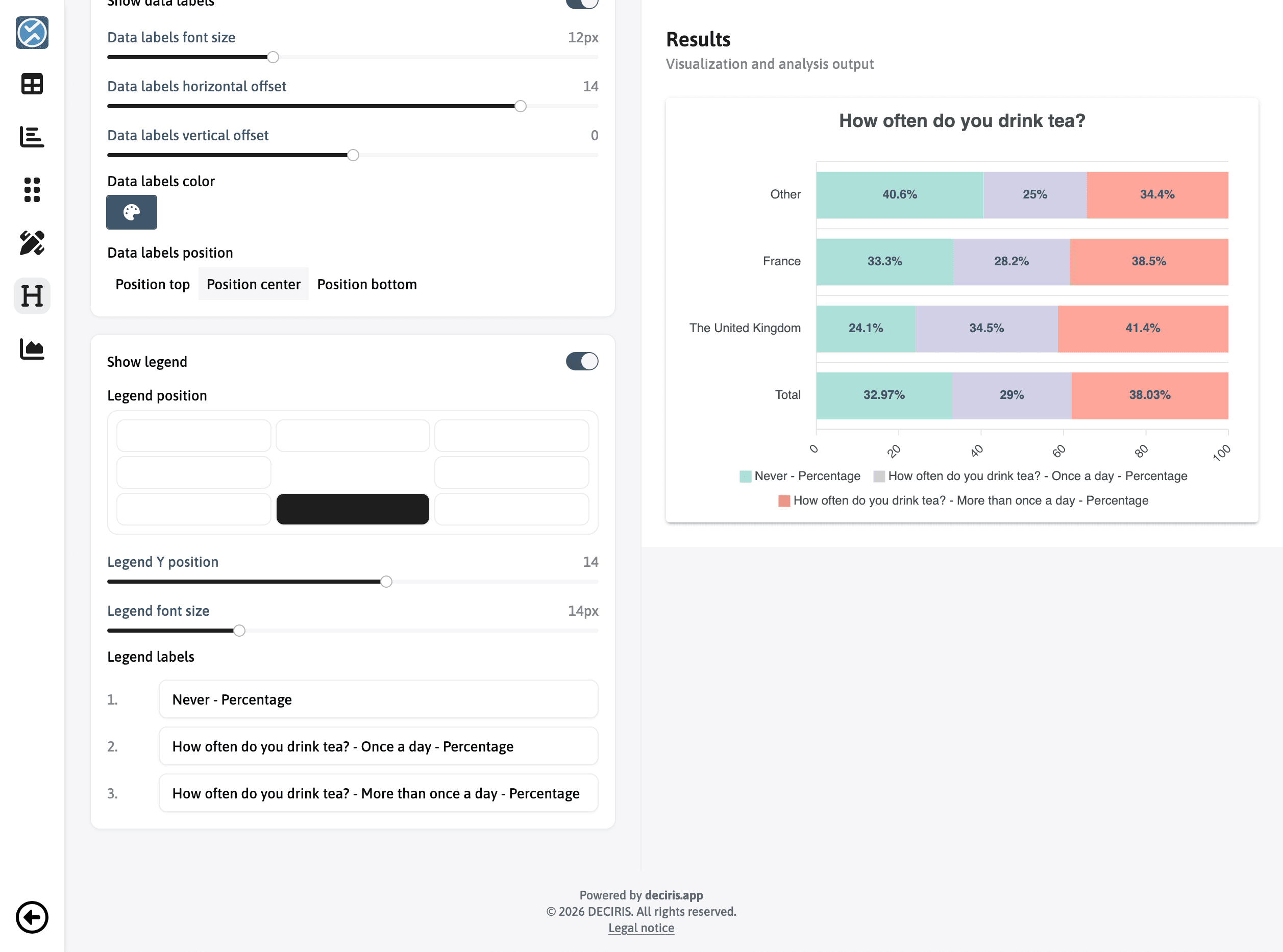
Finally, simplify the legend labels so they are easier to read. Shorter labels
such as Never - Percentage make the chart cleaner while keeping the same
meaning.
Final Result
If your chart matches the example below, the workflow is complete.