Email Template Library
The Email Template Library provides a centralized location to manage and store email templates that can be reused across different mailings and surveys.
Managing Templates
From the library interface, you can:
- Create new email templates
- Edit existing email templates
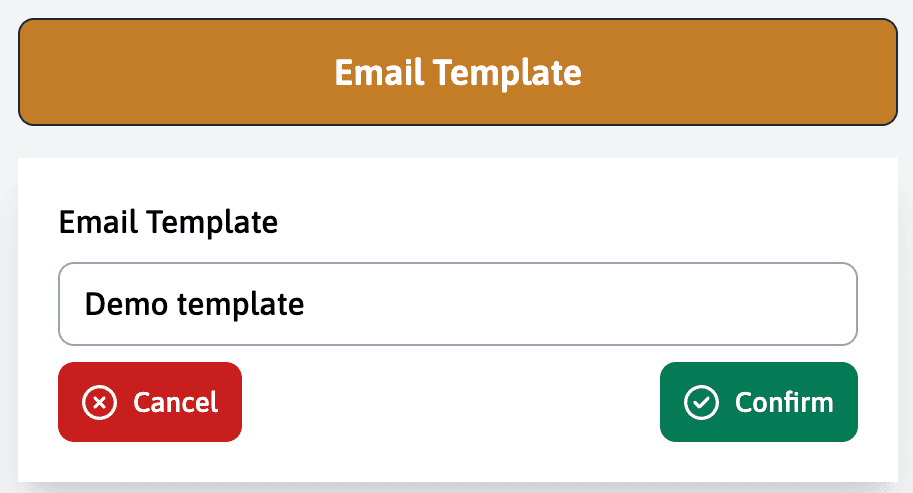
Creating Templates
When creating a new template:
- Click the “Create” button
- Give your template a descriptive name
- Use the drag-and-drop editor to design your email
- Save the template to make it available for future use
Templates created in the library can be loaded when setting up new mailings, saving time and ensuring consistency across your communications.
Email Editor
The email editor provides a drag-and-drop interface to design your templates:
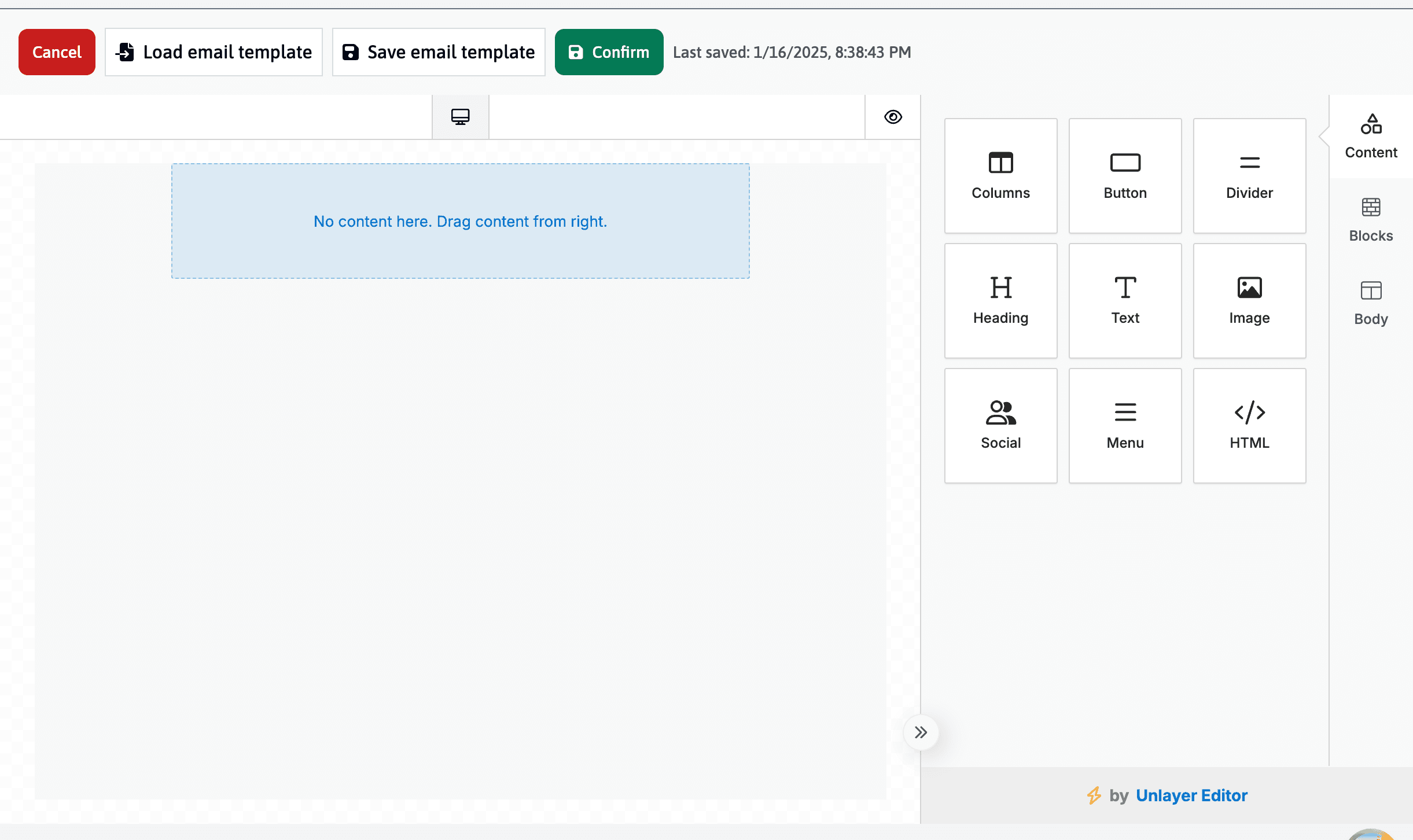
Available components include:
- Content: Basic building blocks like text, images, and buttons
- Blocks: Pre-designed sections for common email layouts
- Body: Overall email structure and styling
The editor toolbar allows you to:
- Load existing templates
- Save your current template
- Preview how your email will look
- Switch between desktop and mobile views
Use the preview mode to ensure your email looks good on both desktop and mobile devices before saving your template.
Using Merge Tags
To add personalized data like names or unique URLs to your email, follow these steps:
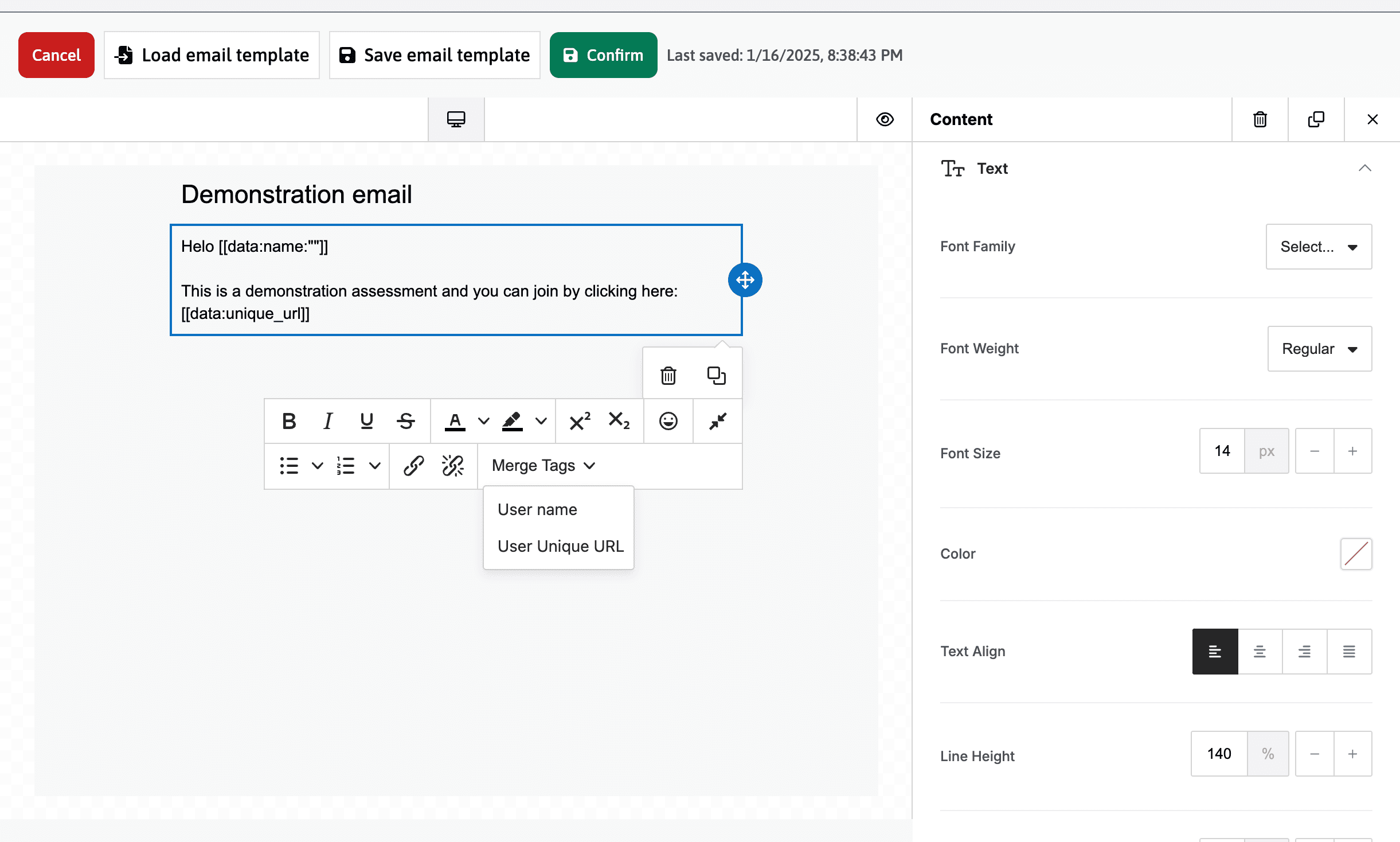
Adding Merge Tags
- First, add a text element to your email from the email editor
- Click inside the text box to edit it
- Look for the editing toolbar that appears
- Find the “Merge tags” dropdown menu
- Select the tag you want to insert:
- “User name” (
[[data:name:""]]) - “User Unique URL” (
[[data:unique_url]])
- “User name” (
- Always include the
[[data:unique_url]]tag if you want participants to access their individual survey links - The “User name” tag will only work if you have imported participant names in the mailing module
See the mailing module documentation for information about using these templates in your mailings.