Before You Start
Before you start the assessment in DECIRIS, explore the various features available to pre-fill elements and facilitate the process.
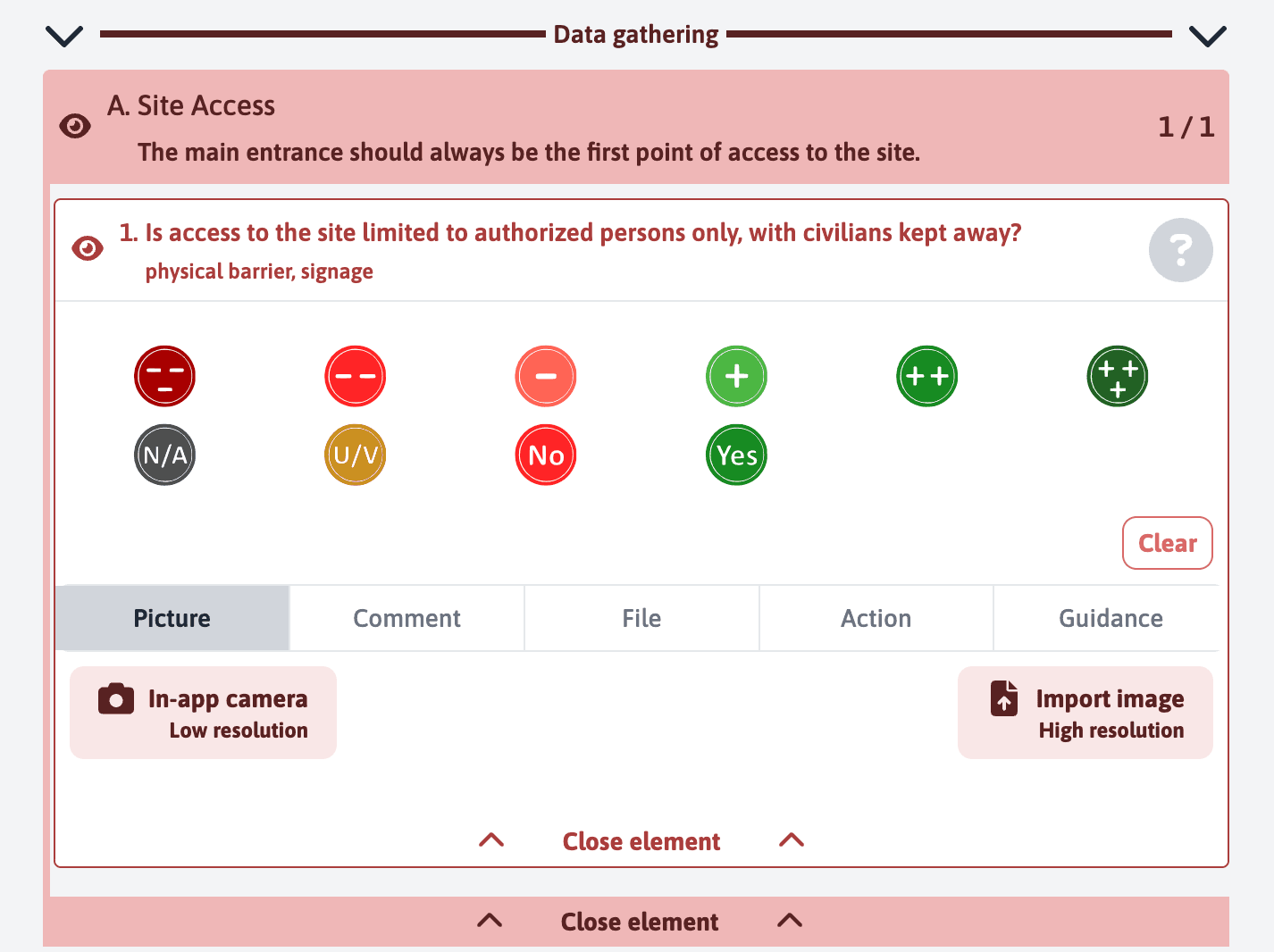
Rating: Evaluate the item by choosing from the provided options: “N/A” (not applicable), “U/V” (unevaluated), “No” for a negative response, or “Yes” for a positive response, with variants to indicate the degree of approval.
Images and Files: For each item, you have the option to take or upload a photo. Click on “Import a photo” to add a high-resolution image, or use the built-in device feature to capture a low-resolution image.
Comments: Add item-specific notes by selecting the “Notes” tab and entering your comments.
Actions: If an action is needed, go to the “Action” tab to describe the steps to follow.
Guidance: For detailed information on how to evaluate or manage the item, consult the “Guide”.
These features are explained in detail in another section of the documentation. You can refer to it for additional information on how to effectively use each feature during your assessments.