Public Participant List
When managing participant lists, you have the option to make a list public, allowing anyone with the link to join as a participant:
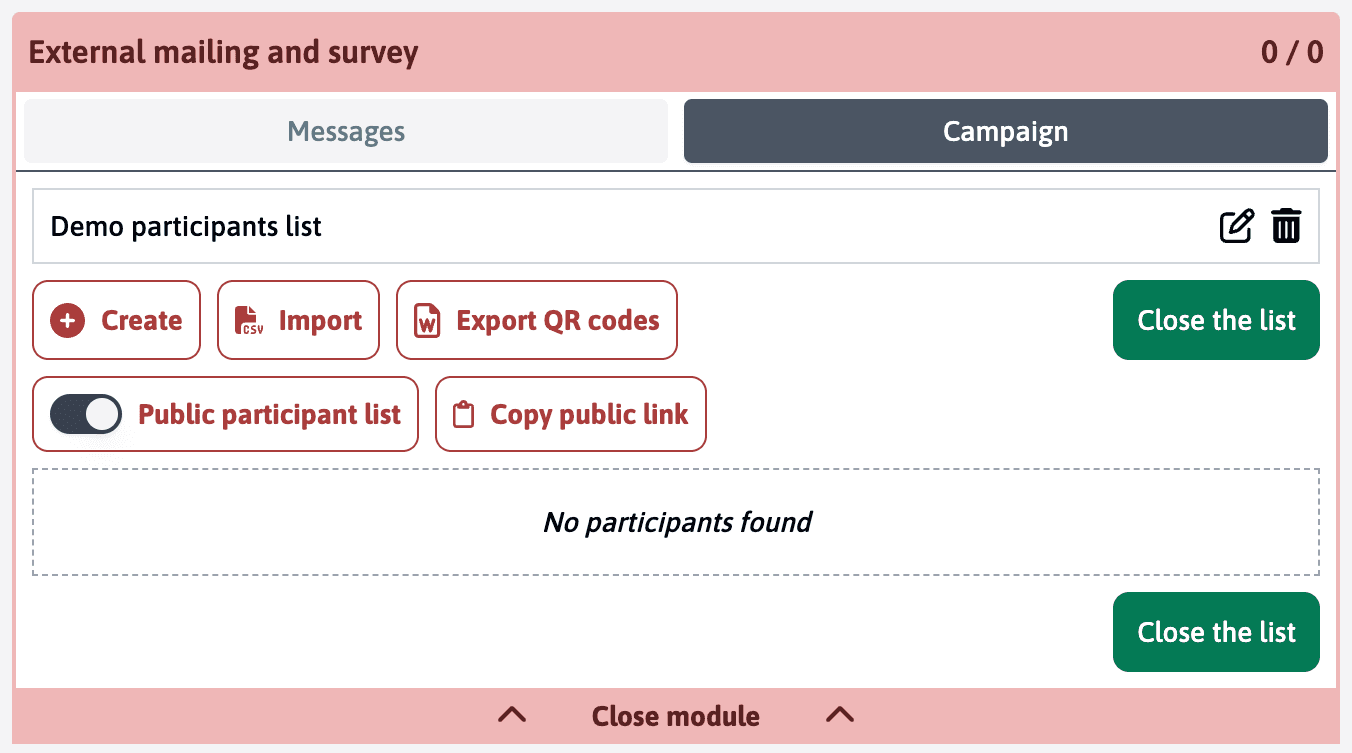
Using Public Links
Inside any participant list, you’ll find:
- A toggle switch for “Public participant list”
- A “Copy public link” button that appears when the list is public
The public link will look like this:
https://deciris.app/join-open-assessment/2pjudefrnGX8MMujAWhen enabled, anyone with the link can access a registration page where they can add themselves as participants. This is particularly useful when:
- You don’t have participants’ email addresses
- You want to share the survey through social media or a website
- You need to allow open registration for an event or assessment
Multiple Public Lists
You can create multiple participant lists with different public links if you need to:
- Track different sources of participants
- Run parallel surveys
- Organize participants into separate groups
With public links, there’s no built-in way to prevent someone from submitting multiple responses. Consider this when choosing between public and private participant lists.
For more detailed information about the mailing module and other ways to manage participants, check out the full mailing documentation.
Last updated on